
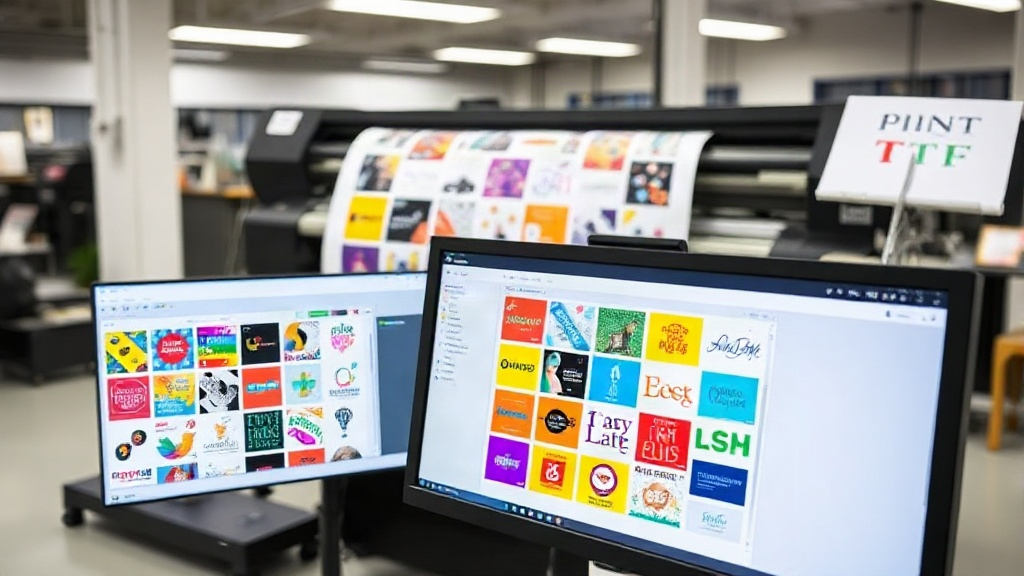
If you're in the custom apparel business, you've likely heard about DTF printing. It's a game-changer for transferring designs onto various fabrics. But did you know that how you arrange your designs on the film can make or break your efficiency and profitability? Enter the DTF gangsheet builder—a tool that can transform your production process. In this article, we'll explore what a gangsheet builder is, why it matters, and how to use it effectively to save time, reduce waste, and increase your bottom line.
Whether you're a small shop owner or managing a large operation, understanding gangsheet optimization is crucial. Let's dive in.
What is a DTF Gangsheet Builder?
Before we get into the nitty-gritty, let's clarify what we mean by a DTF gangsheet builder. In DTF printing, you print your designs onto a special film, coat it with adhesive powder, and then heat-press it onto the fabric. A gangsheet is a single sheet of film that contains multiple designs nested together to maximize the use of space. The builder is software (or a feature within printing software) that helps you arrange these designs efficiently.
Instead of printing each design individually, you group them on one sheet. This saves film, ink, and time. But manually arranging designs can be tedious and error-prone. That's where a gangsheet builder comes in—it automates the nesting process, ensuring you use every inch of the film.
Why You Need a DTF Gangsheet Builder
If you're still manually laying out your DTF transfers, you're leaving money on the table. Here's why a gangsheet builder is essential:
- Saves Material: By nesting designs closely, you reduce the amount of film and powder used. Film and powder are ongoing costs, so even a small reduction adds up quickly.
- Boosts Productivity: Automated nesting takes seconds, whereas manual arrangement can take minutes per sheet. Over hundreds of sheets, that's hours saved.
- Reduces Errors: Human error can lead to overlapping designs, misalignment, or wasted space. A builder ensures precise placement every time.
- Increases Profit Margins: Lower material costs and higher throughput mean more profit per job.
In short, a gangsheet builder is not just a convenience—it's a competitive advantage.
How to Choose the Right DTF Gangsheet Builder
Not all gangsheet builders are created equal. When selecting one, consider these factors:
Compatibility
Does it work with your existing DTF printer and RIP software? Some builders are standalone, while others integrate seamlessly with popular printing software like Cadlink or AcroRIP. Check compatibility before you buy.
Ease of Use
You want a builder that's intuitive. If it takes hours to learn, it's not saving you time. Look for drag-and-drop interfaces, automatic nesting, and real-time previews.
Nesting Algorithms
The quality of the nesting algorithm determines how efficiently designs are packed. Advanced algorithms can rotate and rearrange designs to fill gaps, while basic ones might leave large empty spaces.
Additional Features
Some builders offer extras like:
- Automatic cut lines for easy separation
- Color management tools
- Support for multiple film sizes
- Cloud-based collaboration
Choose features that align with your workflow.
Step-by-Step: Using a DTF Gangsheet Builder Effectively
Once you have your builder, here's how to get the most out of it:
- Prepare Your Designs: Ensure all designs are in the correct format (usually PNG with transparent background) and at the right resolution (300 DPI is standard).
- Set Your Film Size: Input the dimensions of your film roll or sheet. Common widths are 13", 17", and 24".
- Import Designs: Load all the designs you need for the job into the builder.
- Auto-Nest: Let the builder arrange them automatically. Review the layout and make manual adjustments if needed.
- Add Cut Lines: If your builder supports it, add cut lines around each design for easy trimming.
- Print and Press: Send the gangsheet to your printer, then proceed with powdering, curing, and pressing as usual.
Pro tip: Group designs by order or customer to streamline order fulfillment. Most builders allow you to label each design.
Best Practices for DTF Gangsheet Optimization
Even with a builder, you can further optimize your gangsheets. Here are some expert tips:
Mind the Gaps
Leave a small gap (2-3mm) between designs to prevent color bleeding and make cutting easier. But don't leave too much—that's wasted film.
Rotate for Fit
Don't hesitate to rotate designs 90 degrees if it helps them fit better. The builder can do this automatically, but manual tweaks can sometimes yield better results.
Use the Right Film
Not all DTF films are equal. Choose a film that works well with your printer and ink. A good film releases cleanly and holds fine details.
Keep Records
Track how many designs you fit per sheet and your material usage. This data helps you price jobs accurately and identify areas for improvement.
Common Mistakes to Avoid
Even seasoned pros make mistakes. Watch out for these:
- Overcrowding: Packing designs too tightly can cause them to touch, leading to misprints.
- Ignoring Grain Direction: Some films have a grain; printing against it can affect durability.
- Forgetting to Mirror: DTF transfers must be mirrored before printing. Most builders handle this, but double-check.
- Using Low-Resolution Images: Garbage in, garbage out. Always use high-res files.
Frequently Asked Questions
What is a DTF gangsheet builder?
A DTF gangsheet builder is software that helps you arrange multiple designs on a single sheet of DTF film to maximize efficiency and minimize waste.
Can I use a gangsheet builder with any DTF printer?
Most builders are compatible with major DTF printers, but it's essential to check compatibility with your specific printer and RIP software. Some builders are integrated into RIP software, while others are standalone.
How much can I save by using a gangsheet builder?
Savings vary based on your volume and designs, but many users report reducing film and powder usage by 20-30%. Additionally, time savings can be significant, allowing you to take on more orders.
Is a gangsheet builder difficult to learn?
Not at all. Most builders have intuitive interfaces with drag-and-drop functionality. You can typically learn the basics in under an hour.
Do I need a gangsheet builder for small orders?
Even for small orders, a builder can help you combine multiple designs into one sheet, saving time and materials. It's beneficial for any volume.
Conclusion
Incorporating a DTF gangsheet builder into your workflow is a smart move for any DTF printer. It saves time, reduces waste, and boosts your bottom line. By choosing the right builder and following best practices, you can optimize your production and stay ahead of the competition. Remember, efficiency is key in this fast-paced industry. So why wait? Start gangsheet building today and watch your profits grow.