
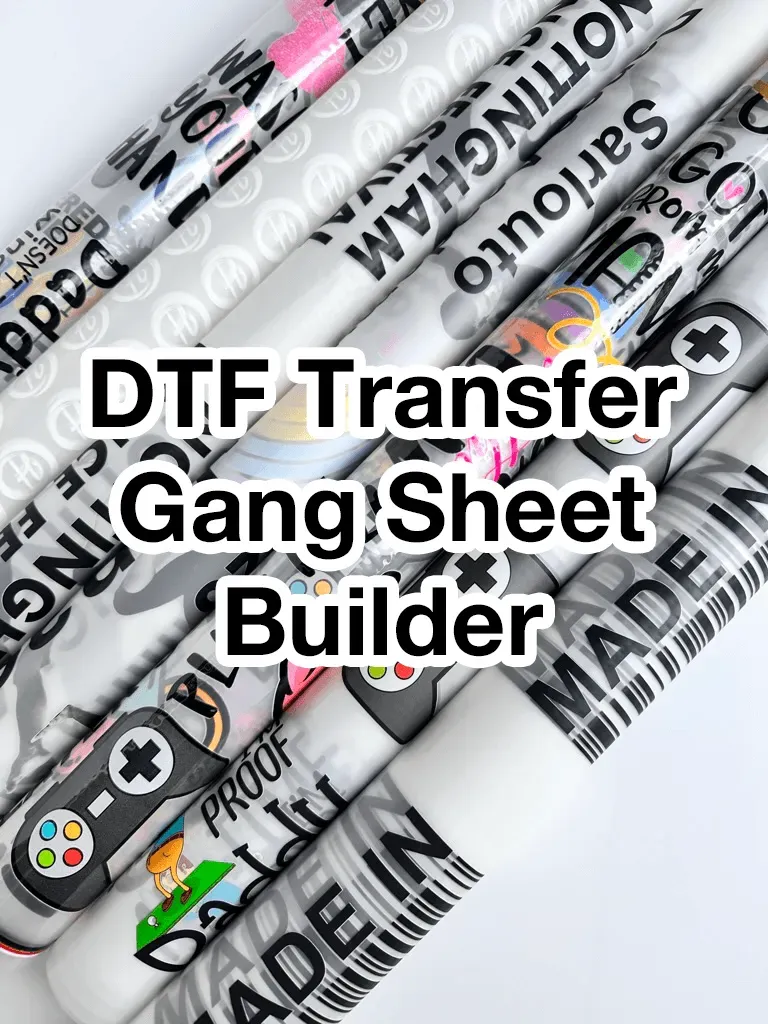
DTF gangsheet builder is reshaping how shops of all sizes approach multi-design transfers, delivering consistency and speed. By automatically nesting designs on a sheet, it maximizes space and reduces manual setup. A key benefit is color consistency across designs when printing in batch. Precise placement data and gangsheet alignment tools help each transfer sit correctly on the garment. This approach supports consistent results and faster, more predictable production, including sheet optimization for DTF.
Think of it as a smart design orchestration tool that arranges multiple graphics on a single sheet, optimizing for press readiness. Rather than manual layout chaos, operators rely on nesting intelligence that respects margins, rotations, and bleed. This shift improves the overall DTF printing workflow by reducing setup time and ensuring predictable output. If you’re aiming for consistent results, you’ll also benefit from standardized color targets and precise registration across batches. By embracing these principles, shops can scale up without sacrificing quality.
1. Boosting DTF color consistency with a gangsheet builder
DTF color consistency is essential for brand fidelity and customer satisfaction when printing multiple designs in a single batch. A gangsheet builder helps by anchoring color targets, enforcing ICC profile use, and aligning ink densities across all designs on one sheet, boosting DTF color consistency. It integrates color management workflows that keep color intent intact from screen to fabric, even when files come from different artists.
The tool’s color management in DTF features often apply the same color targets to every file placed on the gangsheet, preventing shifts between designs. It balances color buildup by predicting ink coverage, compensating for light and dark areas, and maintaining predictability of the final garment color. By harmonizing color across designs, you reduce reprints and ensure more accurate brand representation.
2. Achieving gangsheet alignment for flawless garment placement
Gangsheet alignment focuses on the precise placement of each design relative to baseline lines, margins, and guard areas. The builder outputs exact coordinates, includes guard margins, and uses registration marks to guide the printer, reducing misregistration across batch copies and improving the overall look of shirts.
With gangsheet alignment, you can print multiple panels side by side without crowding, ensuring consistent registration even when running large orders. The system accounts for different garment sizes and print areas, so the alignment remains stable across a run. Better alignment translates to fewer reprints, lower material waste, and faster production cycles.
3. Streamlining the DTF printing workflow through intelligent sheet nesting
Automated nesting cuts setup time dramatically, accelerating the path from design intake to print-ready files. This improves the DTF printing workflow by removing repetitive manual decisions and ensuring consistent sheet layouts across batches.
A robust workflow includes preflight checks, color target verification, and direct export of print-ready files with machine-understandable coordinates. This reduces errors, enhances reproducibility across runs, and enables scaling from small orders to high-volume campaigns while maintaining quality.
4. Color management in DTF: harmonizing palettes, profiles, and targets
Color management in DTF is about translating digital intent into fabric color with stability across lots. It involves maintaining ICC profiles, printer calibration, and confirming color fidelity against targets across designs sharing a sheet.
By enforcing consistent color palettes and validating color targets before printing, the chaos of mixed design files gives way to predictable outcomes. The builder can harmonize palettes so that even if designs share common hues, the final output remains on-brand, improving DTF color consistency across batches.
5. Sheet optimization for DTF: maximizing sheet usage and reducing waste
Sheet optimization for DTF concentrates on maximizing sheet usage while respecting print area, margins, and bleed constraints. Intelligent nesting places designs to minimize wasted space and keep critical elements within safe boundaries.
As a result, you print more designs per sheet, reduce offcut waste, and improve throughput. Optimized sheet layout simplifies post-processing and lowers cost per print, making it easier to meet tight deadlines without sacrificing quality.
6. Choosing, piloting, and scaling with a DTF gangsheet builder
Selecting a DTF gangsheet builder involves evaluating features such as color management integration, advanced nesting algorithms, and alignment tools. Look for compatibility with your RIP and printer, plus batch management capabilities and a clear export workflow.
A practical approach is to run pilot projects with representative designs, calibrate color targets, and validate alignment before scaling. When ready to grow, apply the same nesting logic to higher-volume runs, preserving color accuracy and registration while improving overall efficiency.
Frequently Asked Questions
How does a DTF gangsheet builder improve DTF color consistency across designs on a single sheet?
The DTF gangsheet builder enforces a consistent color target using color management with ICC profiles and preflight checks, delivering uniform output and reducing color shifts across the batch.
In what ways does gangsheet alignment impact the DTF printing workflow when using a DTF gangsheet builder?
Precise gangsheet alignment coordinates and registration marks ensure designs sit correctly, reducing misalignment and reprints, which streamlines the DTF printing workflow.
What impact does sheet optimization for DTF have when using a DTF gangsheet builder?
Sheet optimization for DTF maximizes sheet usage with intelligent nesting, allowing more designs per sheet while preserving placement accuracy and reducing waste.
How does color management in DTF improve with a DTF gangsheet builder?
Color management in DTF is centralized, with standardized color profiles and previews that minimize color variation across designs and batches.
Which aspects of the DTF printing workflow are improved by a DTF gangsheet builder?
Automated nesting, consistent layouts, and easy export of print ready files speed up the workflow and reduce manual errors in production.
What features should I prioritize in a DTF gangsheet builder to maximize color management in DTF and gangsheet alignment?
Look for color management integration with ICC profile support, precise alignment tools, advanced nesting, robust preflight checks, and strong batch management to ensure solid color consistency and accurate gangsheet alignment.
| Aspect | Key Points |
|---|---|
| What is a DTF gangsheet builder? | A software tool that nests and arranges multiple design files on a single transfer sheet (gangsheet) for DTF printing, considering print area, margins, rotation, mirroring, and color management to maximize ink usage, minimize waste, and ensure consistent color and precise registration. |
| Core benefits | Two core benefits: color consistency and alignment. It provides reliable color reproduction across designs in a batch and precise placement on garments to maintain visual integrity, reducing reprints and waste. |
| Color consistency | Color management integrations maintain a consistent profile for every design on the sheet; optimize ink coverage to balance light and dark areas; harmonize palettes to reduce tonal differences between sheets. |
| Alignment and registration | Precise placement coordinates, guard margins, and registration marks guide the printer; ensures centered and correctly positioned designs; reduces misalignment, waste, and reprints. |
| Workflow improvements | Streamlines file prep, nesting, and verification; benefits include time savings, consistency across runs, waste reduction, easier scaling, and better error handling. |
| Sheet optimization and layout discipline | Maximizes sheet usage within print area and margins; intelligently distributes designs to avoid wasted space; supports rotation and bleed considerations for legibility and color accuracy. |
| Features to consider | Color management integration, advanced nesting, alignment tools, preflight checks, RIP/hardware compatibility, batch/job management, and ease of use/integration. |
| Practical implementation | Adopt a pilot with representative designs, set consistent color targets and alignment references, review fabric swatches, and tune color and placement rules before expanding. |
| Real-world scenario | A mid-sized shop moves from manual layouts to a gangsheet workflow: import files, nest on sheets, apply a consistent color profile, and generate print-ready batches, delivering stronger color consistency and alignment while shortening lead times. |
| Best practices | Calibrate equipment regularly; use standardized color palettes; preview thoroughly; test with swatches; maintain clean workflows; document processes for repeatability. |
| Common pitfalls | Inconsistent color targets; ignoring margins/bleeds; overloading a sheet; skipping preflight checks. |
| Future trends | AI-assisted nesting, improved color management automation, tighter ecommerce integration, and automated placement adjustments to preserve color intent and reduce waste. |